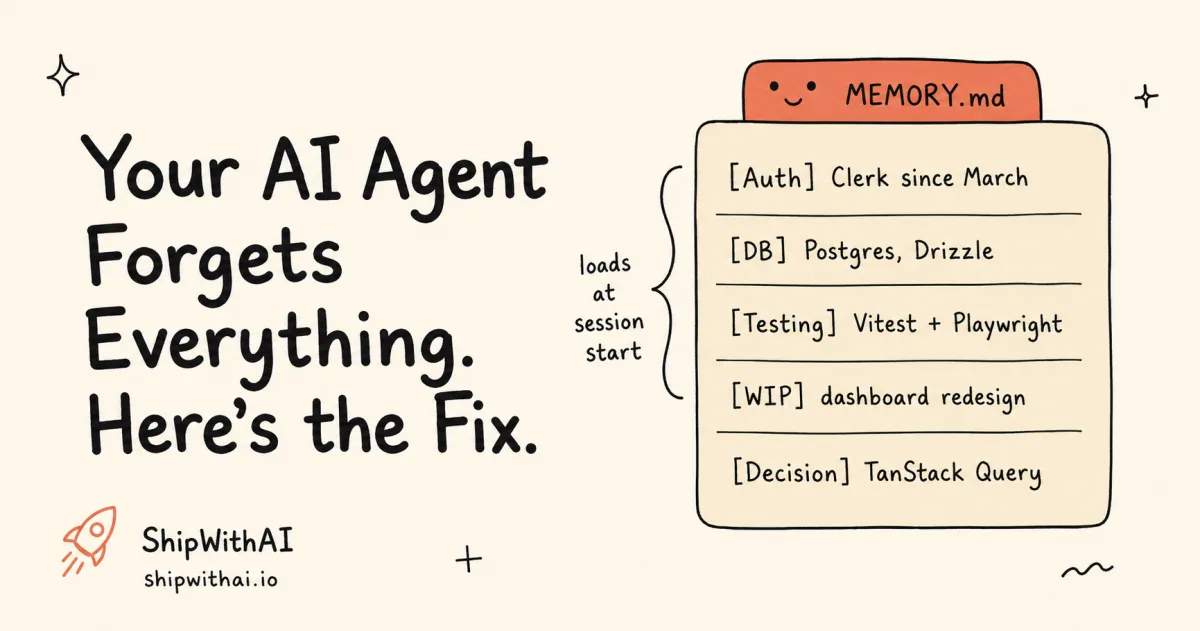
TL;DR - Claude Code resets context every session. MEMORY.md gives it persistent memory of your project’s evolving state in a 200-line index file. Setup takes 5 minutes. One prompt at the end of each session keeps it current. Jump to the 5-minute setup →
📊 What this post builds:
- A working MEMORY.md with 10 pointer entries, copy-paste ready
- An end-of-session update workflow (one prompt, no hooks)
- Good vs bad entries comparison table
- Monthly pruning checklist to stay under the 200-line limit
# Session 1: "This project uses Clerk for auth, not NextAuth."# Session 2: "As I mentioned, we use Clerk..."# Session 3: "We migrated to Clerk in March. Stop suggesting NextAuth."# Session 4: "READ THE CLAUDE.MD. We use Clerk."# Session 5: "..."# Session 6: *opens CLAUDE.md, adds it in bold, all caps*Sound familiar? Developers spend 10-15 minutes per session rebuilding context that was clear yesterday (CleanAim, 2026). Over a month of daily sessions, that’s 5-10 hours of repeating yourself.
The fix is one file. MEMORY.md is a lightweight index that Claude Code reads at session start. Not a conversation log. Not a code dump. A table of contents for your project’s current state.
CLAUDE.md holds your static rules (conventions, build commands, constraints). MEMORY.md holds your evolving state (recent migrations, active decisions, what changed last week). They’re both part of Layer 1 in the harness engineering framework, and most developers only have the first half.
Why does Claude Code forget everything between sessions?
Claude Code starts each session with a fresh context window. It reads CLAUDE.md and MEMORY.md at startup, but nothing else carries over from previous conversations. The --continue flag resumes one specific conversation, but decisions spread across multiple sessions are lost unless you write them down (Claude Code docs).
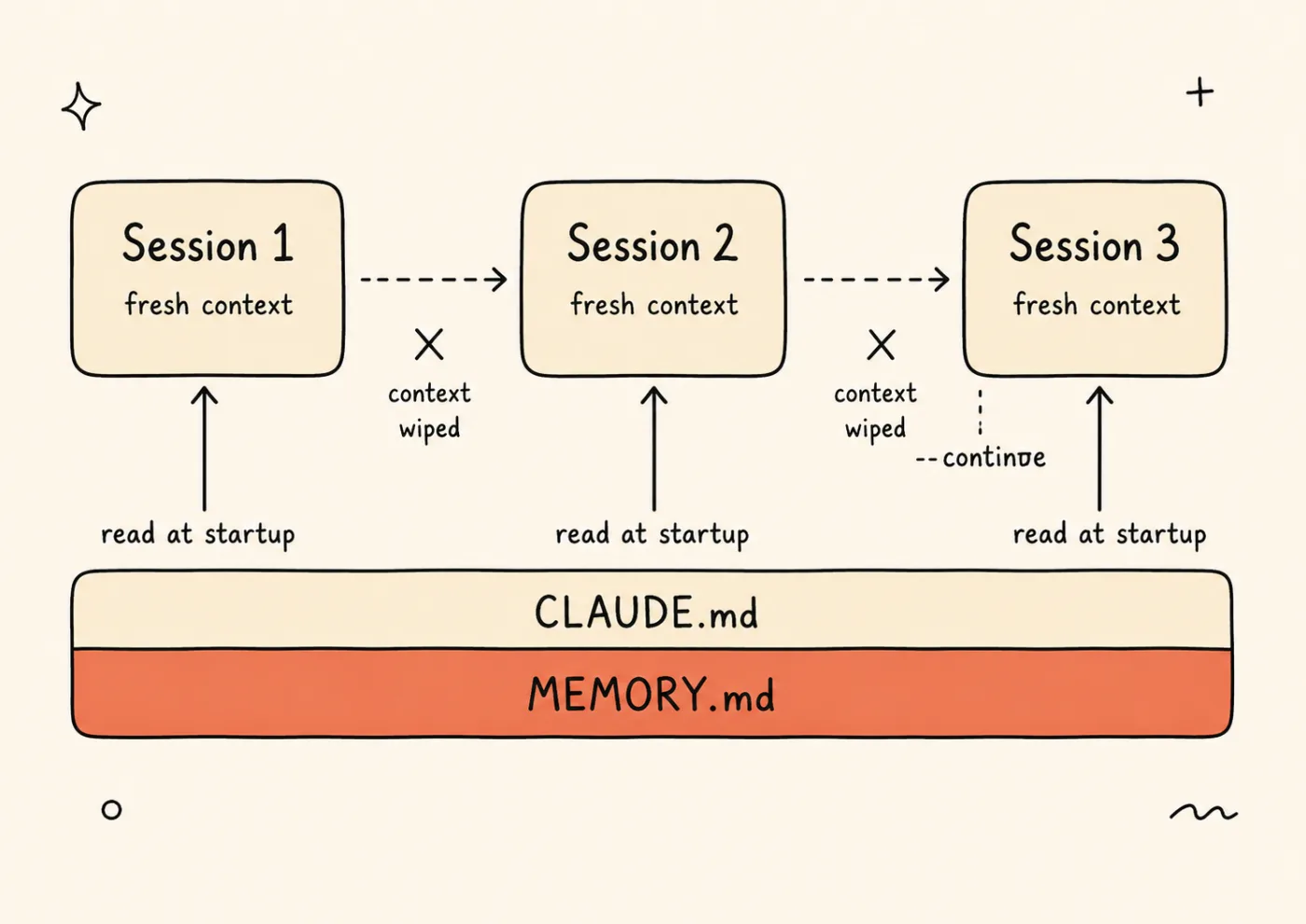
Every session starts with a fresh context window — the conversation is wiped, and only CLAUDE.md and MEMORY.md are re-read at startup.
Here’s the gap most developers hit:
| CLAUDE.md | MEMORY.md | —continue | |
|---|---|---|---|
| Persists across sessions | Yes | Yes | Last session only |
| Content type | Static rules | Evolving state | Full conversation |
| Who updates it | You (manually) | You + Claude | Automatic |
| Size limit | No hard limit | 200 lines / 25KB | Context window |
| Best for | Conventions, constraints | Decisions, migrations, active work | Resuming interrupted work |
CLAUDE.md doesn’t change session to session. It says “use Vitest for tests” and that’s true tomorrow too. But “we migrated from Prisma to Drizzle last Tuesday” is evolving state. It matters for a month, then it’s old news. That kind of context belongs in MEMORY.md.
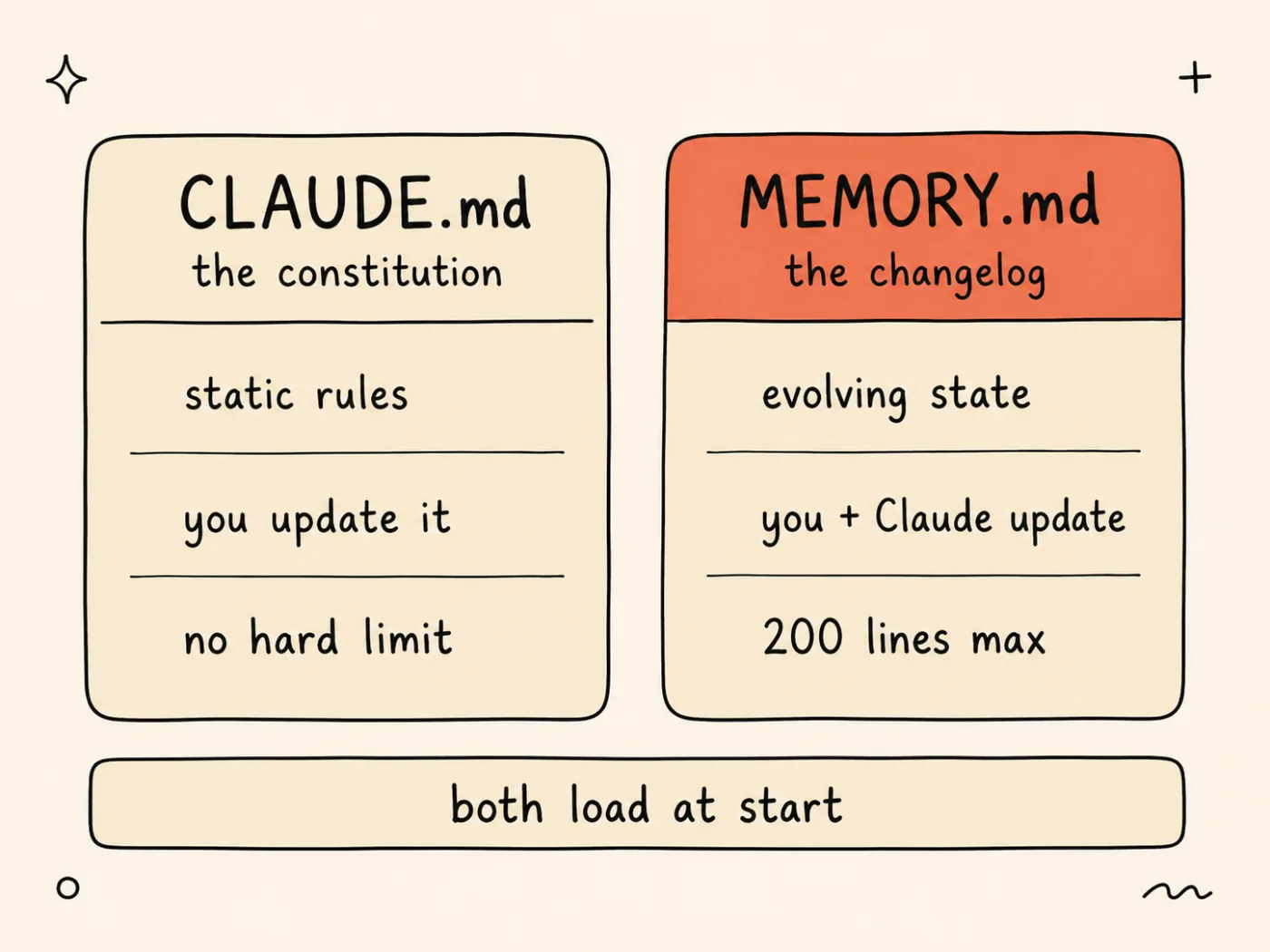
CLAUDE.md is the constitution (static rules that hold tomorrow); MEMORY.md is the changelog (evolving state that matters for a month). Both load at session start.
Claude Code does have auto memory since v2.0.64. The AutoDream feature consolidates learnings after 24+ hours and 5+ new sessions (Claude Code docs). But auto memory captures broad patterns, not your specific decision to use TanStack Query over SWR on April 5th. MEMORY.md is the manual complement where you control exactly what persists.
How do you set up MEMORY.md in 5 minutes?
Create a file called MEMORY.md in your project root with 5-10 pointer entries, each under 150 characters. Each entry points to where information lives in your project, not the information itself. Claude Code loads this file automatically at session start (Claude Code docs).
Three steps:
Step 1: Create the file next to your CLAUDE.md.
Step 2: Write 5-10 pointer entries covering your project’s current state.
Step 3: Done. Claude Code picks it up automatically on the next session.
Here’s a realistic template:
## Project State (updated 2026-04-17)
- [Auth](src/lib/auth/) - Clerk since March 2026. Migrated from NextAuth.- [DB](prisma/schema.prisma) - PostgreSQL on Supabase. Drizzle ORM.- [Deploy](docs/deploy.md) - Vercel preview for PRs, production on main.- [Testing](vitest.config.ts) - Vitest unit + Playwright E2E. 80% min.- [API](src/app/api/) - Server Actions for mutations. API routes for webhooks only.- [Payments](src/lib/stripe/) - Stripe checkout. Webhooks at /api/webhooks/stripe.- [WIP] Dashboard redesign in progress. Branch: feature/dashboard-v2.- [Bug] Rate limiter false positives on /api/search. Issue #234.- [Decision] Chose TanStack Query over SWR, April 5. See docs/decisions/004.md.- [Deprecated] Old /api/v1/ routes. Remove after May 1 deadline.
Each entry is a pointer. “Clerk since March 2026” tells Claude the auth system and when it changed. If Claude needs details, it reads src/lib/auth/. The entry doesn’t dump the auth implementation into MEMORY.md.
One critical constraint: MEMORY.md is capped at 200 lines or 25KB, whichever is smaller. Entries beyond line 200 are silently dropped with no warning (Claude Code docs). Keep it lean.
What makes a good MEMORY.md entry vs a bad one?
Good entries are pointers under 150 characters that tell Claude where to look. Bad entries dump content that belongs in source files. The ETH Zurich AGENTbench study found that longer context files actually reduce agent success by ~3% while increasing costs by up to 19% (Gloaguen et al., 2026). Less is more.
| Bad Entry (content dump) | Good Entry (pointer) |
|---|---|
Auth uses Clerk with middleware at src/middleware.ts that checks session cookies and redirects unauthenticated users to /sign-in with a custom error page | [Auth](src/lib/auth/) - Clerk since March 2026. See middleware.ts. |
Database is PostgreSQL 16 on Supabase with connection pooling via pgBouncer, schema managed by Drizzle ORM using push strategy for migrations | [DB](prisma/schema.prisma) - PostgreSQL/Supabase, Drizzle ORM. |
The old API routes at /api/v1/users, /api/v1/products, and /api/v1/orders are deprecated and scheduled for removal in the next sprint after May 1 | [Deprecated] /api/v1/ routes. Remove after May 1. |
The bad entries average 25-30 words. The good entries average 8-12 words. Both give Claude the same actionable information: what system, where to find it, what’s relevant right now.
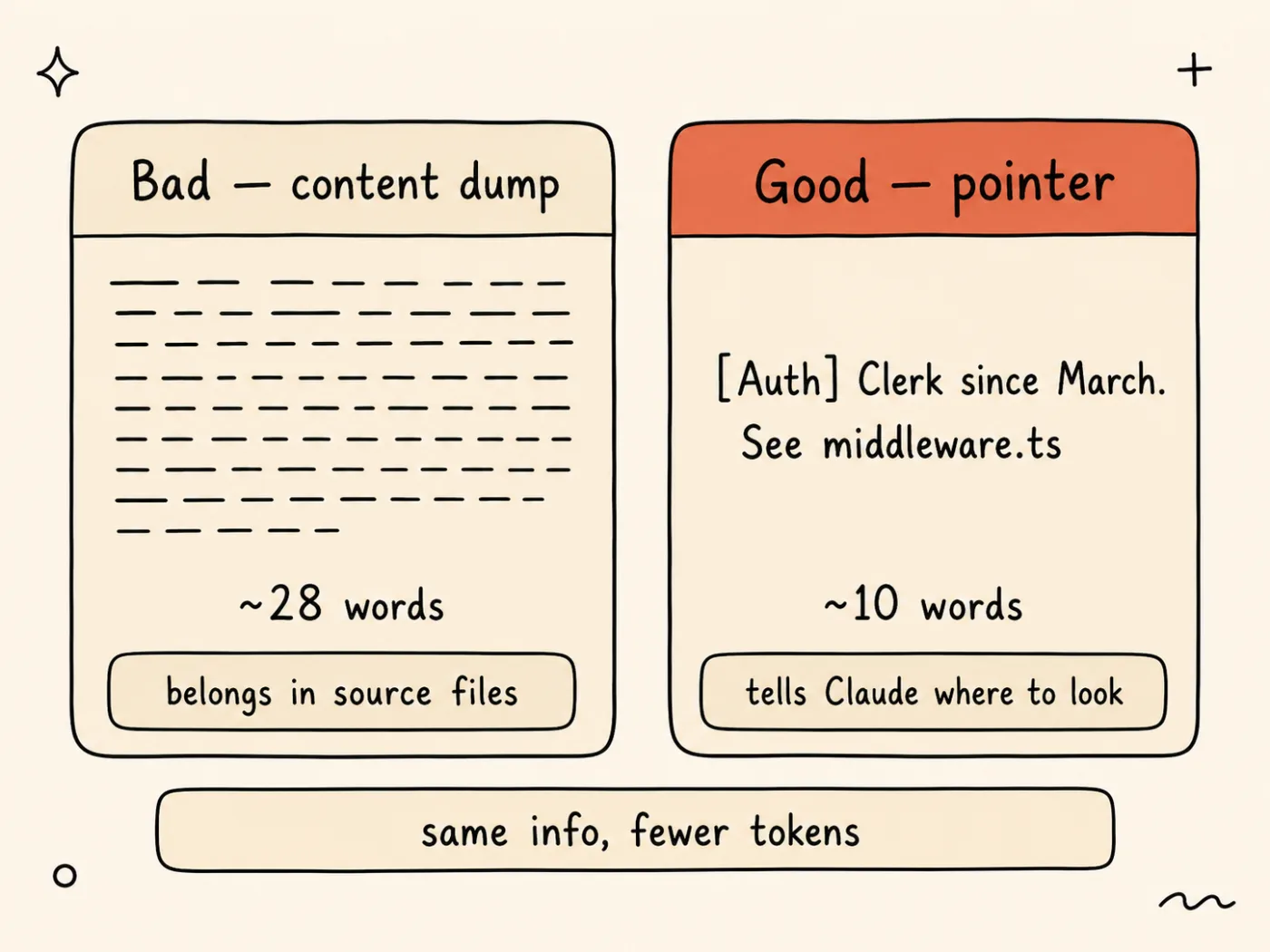
Both entries carry the same actionable fact; the pointer says it in ~10 words and sends Claude to the source, the content dump wastes ~28 words on details that belong in the code.
Why do short pointers work better? 80% of tokens in typical agent sessions are wasted on “finding things” rather than doing things (Nesler, 2025). Pointers eliminate the finding. Claude reads “Clerk since March 2026” and goes straight to the auth code instead of spending 3 turns figuring out the auth stack.
There’s also a model attention issue. At more than 50% context fill, model performance degrades for content in the middle of the window. Recent tokens get favored over early ones (Chroma Research, 2025). Short entries keep your critical context near the top where Claude pays the most attention.
Categories that belong in MEMORY.md:
- Decisions made (with dates)
- Active migrations or refactors
- Work in progress (branch names, issue numbers)
- Known bugs (with tracking links)
- Deprecation deadlines
- Recent architecture changes
What does NOT belong:
- Static rules → CLAUDE.md
- Code snippets → source files
- Architecture docs →
docs/directory - Dangerous action prevention → Hooks
Get weekly Claude Code tips - Real configs, not theory. One email per week. Subscribe to AI Developer Weekly →
How do you keep MEMORY.md current without complex hooks?
At the end of each session, ask Claude one prompt. Claude reads the current MEMORY.md, adds or updates relevant entries, removes stale ones, and keeps it under the 200-line limit. No hooks, no automation, no third-party tools. One prompt, ten seconds.
Here’s the prompt (copy-paste ready):
Update MEMORY.md with what you learned this session: new decisions,changed architecture, resolved bugs, anything future sessions shouldknow. Keep entries under 150 chars. Remove anything no longer relevant.That’s the entire workflow. Claude knows what changed because it just did the work. It writes the entries in the pointer format it already sees in the file. You review the diff, approve or tweak, and the next session starts with updated context.
Do this at the end of sessions where something meaningful changed. Skip it for quick lookups or small fixes where nothing new was decided.
Why manual beats auto-update hooks for this: hooks add complexity, can generate noisy entries, and aren’t proven for memory quality. The manual prompt lets you review what gets added. You stay in control of what your agent remembers.
Auto memory (AutoDream) supplements this. It runs in the background and captures broad patterns. But it won’t capture “we chose TanStack Query over SWR because the dashboard needs optimistic updates.” Your manual entries handle the project-specific decisions that auto memory misses.
When should you prune MEMORY.md?
Prune monthly, same cadence as CLAUDE.md pruning. Remove entries older than 30 days that are no longer relevant. Graduate stable entries to CLAUDE.md. The 200-line limit is hard, and entries beyond it vanish silently (Claude Code docs).
Four questions per entry:
For each MEMORY.md entry, ask: 1. Still true? → NO → Delete it 2. Stable for 30+ days? → YES → Graduate to CLAUDE.md 3. Duplicate of CLAUDE.md? → YES → Remove from MEMORY.md 4. Would a new teammate need this? → NO → Delete itThe graduation pattern is important. “Migrated from Prisma to Drizzle, April 2” is a MEMORY.md entry for the first month. After 30 days, the migration is old news. Graduate it to CLAUDE.md as a static rule: “ORM: Drizzle (not Prisma).” Then delete it from MEMORY.md.
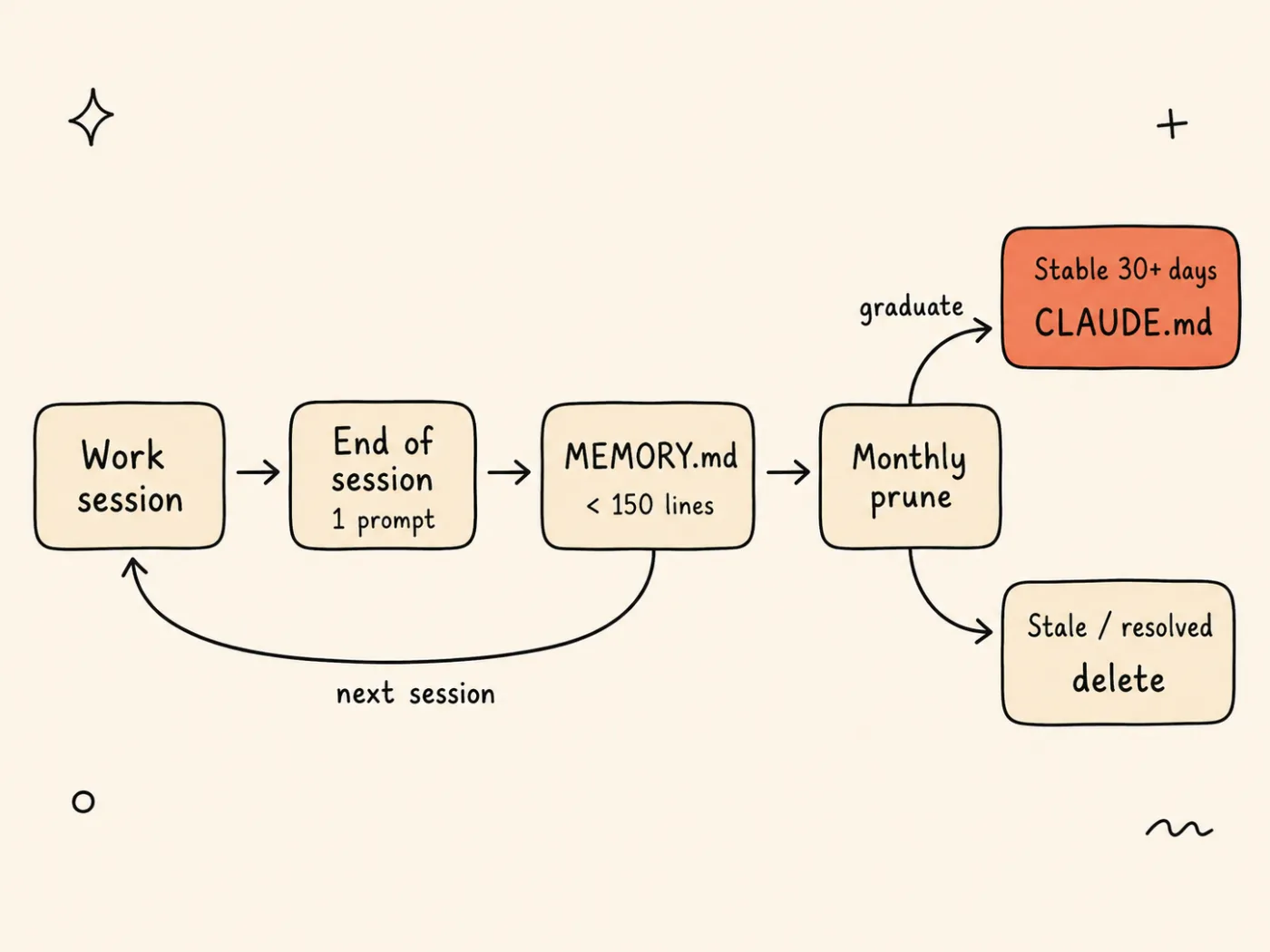
One prompt updates MEMORY.md at each session’s end; a monthly prune graduates stable entries to CLAUDE.md and deletes the rest, keeping the file under its limit.
If your MEMORY.md grows past 150 lines, you’re overdue for pruning. HumanLayer keeps their CLAUDE.md under 60 lines for the same reason: fewer lines means higher signal per line. The same principle applies to MEMORY.md.
Try it now:
- Create
MEMORY.mdin your project root (next to CLAUDE.md)- Write 5 pointer entries covering: auth, database, deploy, testing, and one active decision
- Keep each entry under 150 characters
- Start a new Claude Code session and verify it references your MEMORY.md entries
- At the end of the session, run: “Update MEMORY.md with what you learned this session”
Build your harness layer by layer. MEMORY.md is half of Layer 1. The full system includes tools, permissions, hooks, and observability. Subscribe to AI Developer Weekly →
FAQ
What is MEMORY.md in Claude Code?
MEMORY.md is a project-level index file that Claude Code reads at the start of every session. It provides persistent memory of your project’s evolving state: recent decisions, active work, migrations, and known issues. Each entry should be a pointer under 150 characters. The file is capped at 200 lines or 25KB (Claude Code docs).
What is the difference between CLAUDE.md and MEMORY.md?
CLAUDE.md holds static rules that rarely change: tech stack, naming conventions, build commands, constraints. MEMORY.md holds evolving state that changes between sessions: recent migrations, active decisions, work in progress, known bugs. Think of CLAUDE.md as the constitution and MEMORY.md as the changelog. Both load at session start, but they serve different purposes. For more on CLAUDE.md, see Why CLAUDE.md Is the Most Important File in Your Project.
Does Claude Code have auto memory?
Yes. Since v2.0.64, Claude Code has auto memory (AutoDream) that consolidates learnings after 24+ hours and 5+ sessions. It captures broad patterns automatically. But it doesn’t track project-specific decisions like “chose TanStack Query over SWR on April 5.” Use MEMORY.md for critical project state and let auto memory handle general patterns (Claude Code docs).
How many lines can MEMORY.md have?
200 lines or 25KB, whichever is smaller. Entries beyond line 200 are silently dropped with no warning. Keep your file under 150 lines and prune monthly. Each entry should be a pointer under 150 characters. If your MEMORY.md consistently exceeds 150 lines, graduate stable entries to CLAUDE.md and delete resolved items.
What to Read Next
- Why CLAUDE.md Is the Most Important File in Your Project - The other half of Layer 1: static rules that don’t change between sessions. MEMORY.md is the complement, not the replacement.
- Harness Engineering: The System Around AI Matters More Than AI - The 5-layer framework that puts MEMORY.md in context as part of Layer 1 (Memory). Quick Win 1 in that post introduced MEMORY.md; this post goes deep.
- Your CLAUDE.md Is an Instruction File. It Should Be a Failure Log. - When MEMORY.md entries graduate to CLAUDE.md after 30 days, use the failure-first method to write sharp constraints.


