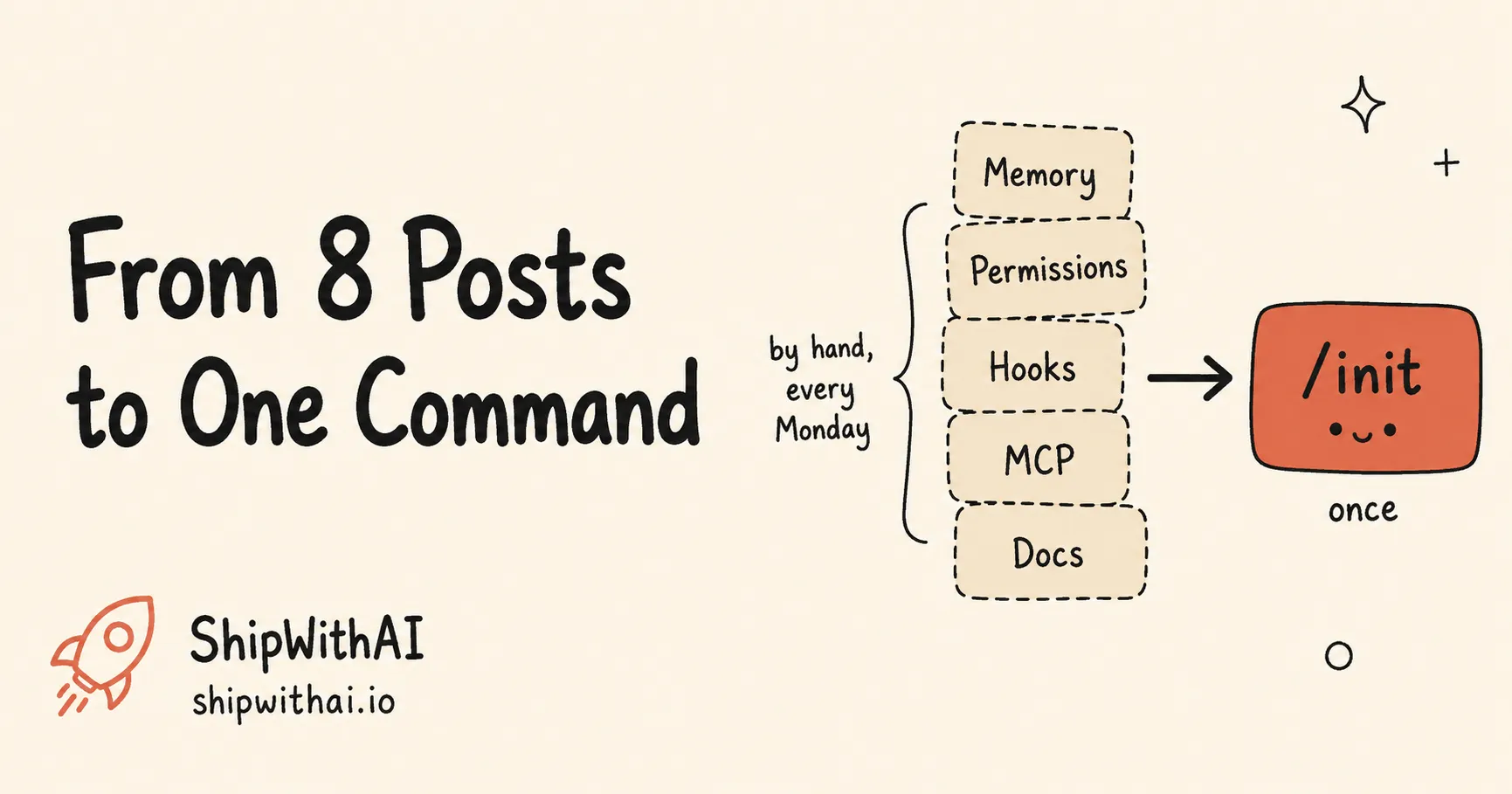
TL;DR — We spent a month writing a series on Claude Code harness engineering: Memory, Tools, Permissions, Hooks, Observability. But we spent the rest of our time rebuilding that same harness by hand, project after project — and so was every teammate, slightly differently. A discipline you re-type from scratch every Monday isn’t a discipline; it’s a chore. So we turned the series into one open-source command. This post is the story of why, and the link to every line of it.
It was a Monday. New repo. Empty .claude/ folder. Cursor blinking in a fresh CLAUDE.md.
And I did what I’d done a dozen times before: I opened last month’s project in a second window and started copying. The permissions block. The rm -rf guard. The MEMORY.md scaffold. The MCP config. The architecture doc skeleton. Tab over, paste, find-and-replace the project name, tab back.
Halfway through, the irony landed. We had just published an eight-post series teaching developers exactly this — how to build a reliable Claude Code harness, layer by layer. And here I was, the person who wrote it, doing the most un-engineered thing possible: re-typing the same harness from memory, hoping I didn’t forget a layer.
That’s the gap this post is about, and the thing we built to close it.
The discipline had no tooling
Go back to the pillar idea of the whole series: Agent = Model + Harness. The model is a commodity — everyone on the same Claude version gets the same raw capability. Your harness is the part that’s yours. It’s why one team ships clean while the team next door ships rollback after rollback.
We broke that harness into five layers and wrote a deep-dive for each:
- Memory — what the agent knows before you type. We argued your CLAUDE.md should be a failure log, not a wishlist, and that you need a MEMORY.md to stop re-explaining last week’s migration.
- Tools — what it can reach, through MCP servers.
- Permissions — what it’s allowed to touch. We showed how thirty seconds of config stops a careless install from wrecking your machine.
- Hooks — what’s enforced at runtime, the only layer that can’t be argued out of by context. We built a decision guide for which hook you actually need.
- Observability — what you can see afterward, including a self-verification loop that makes the agent check its own work before it claims it’s done.
And underneath all of it, the constraint paradox: the more you restrict what the agent can do, the better it does what it should. The LangChain team made the same case publicly: harness and context changes, not the underlying model, drove a +13.7-point jump (52.8% → 66.5%) on Terminal Bench 2.0 — same model, better harness (LangChain Blog, Feb 2026).
Good theory. Real evidence. And every single post ended the same way: “copy this block into your .claude/ folder.”
That’s the problem hiding in plain sight. We’d written a beautiful manual for a factory, then asked everyone to assemble the production line by hand, one bolt at a time, in every new building. A SOP you execute manually every time isn’t a system. It’s a memory test you eventually fail.
Two failure modes nobody warns you about
When you build a harness by hand, two things go wrong — quietly.
You forget a layer. Not the famous ones. You’ll always remember the rm -rf hook because it scared you once. You forget the boring one — the observability log, the MEMORY.md index — and you don’t notice until three weeks in, when the agent confidently re-introduces a bug you fixed in a session it has no record of.
Your team drifts before the project even starts. One developer writes a strict permissions block. Another copies an older, looser one. A third skips hooks entirely “just for now.” Now you don’t have a harness — you have four dialects of one. The whole point of committing your harness to version control was that the team inherits the same reliability. Hand-assembly defeats it on day one.
The fix isn’t a smarter model; we spent a whole post making that point. The fix is making the right harness the easy harness: reproducible, identical, boring to set up.
So we turned the series into one command
We took every post you just read and asked: what if this weren’t a code block to copy, but a question in an interview?
That’s shipwithai-starter. One open-source plugin. You run:
/shipwithai-starter:initIt asks about your stack and how much rigor you want, then writes the whole harness for you — the same five layers from the series, plus two we’d learned to add along the way (more on that below). Five minutes for the essentials, thirty for the full setup. Then:
git add CLAUDE.md .claude/ .mcp.json docs/git commit -m "chore: add Claude Code harness"Your teammate clones the repo, opens Claude Code, and the harness is already there. No second window. No find-and-replace. No drift. The production line ships with the building.
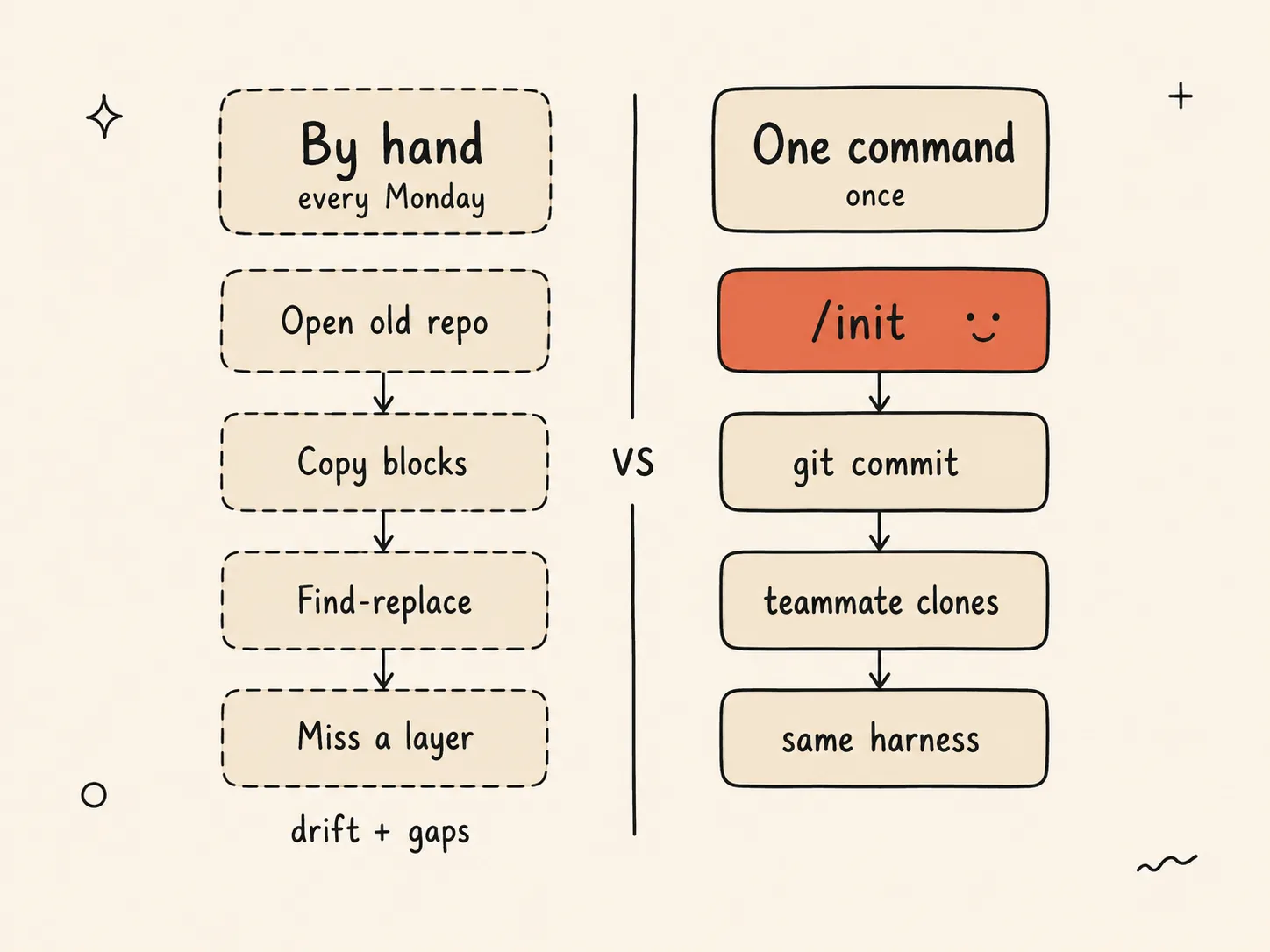
Left: the hand-built harness you re-type every Monday — and quietly forget a layer or drift from your team. Right: one command writes it, one commit ships it, every teammate inherits the same harness.
Every post in the series now has a one-liner on the other side of it:
| What you read | What you can now run |
|---|---|
| The MEMORY.md fix · failure-log CLAUDE.md | /setup-memory |
| MCP setup guide | /setup-mcp |
| 30-second install security | /setup-permissions |
| Which hook do you need | /setup-hooks |
| Self-verification loop | /setup-observability |
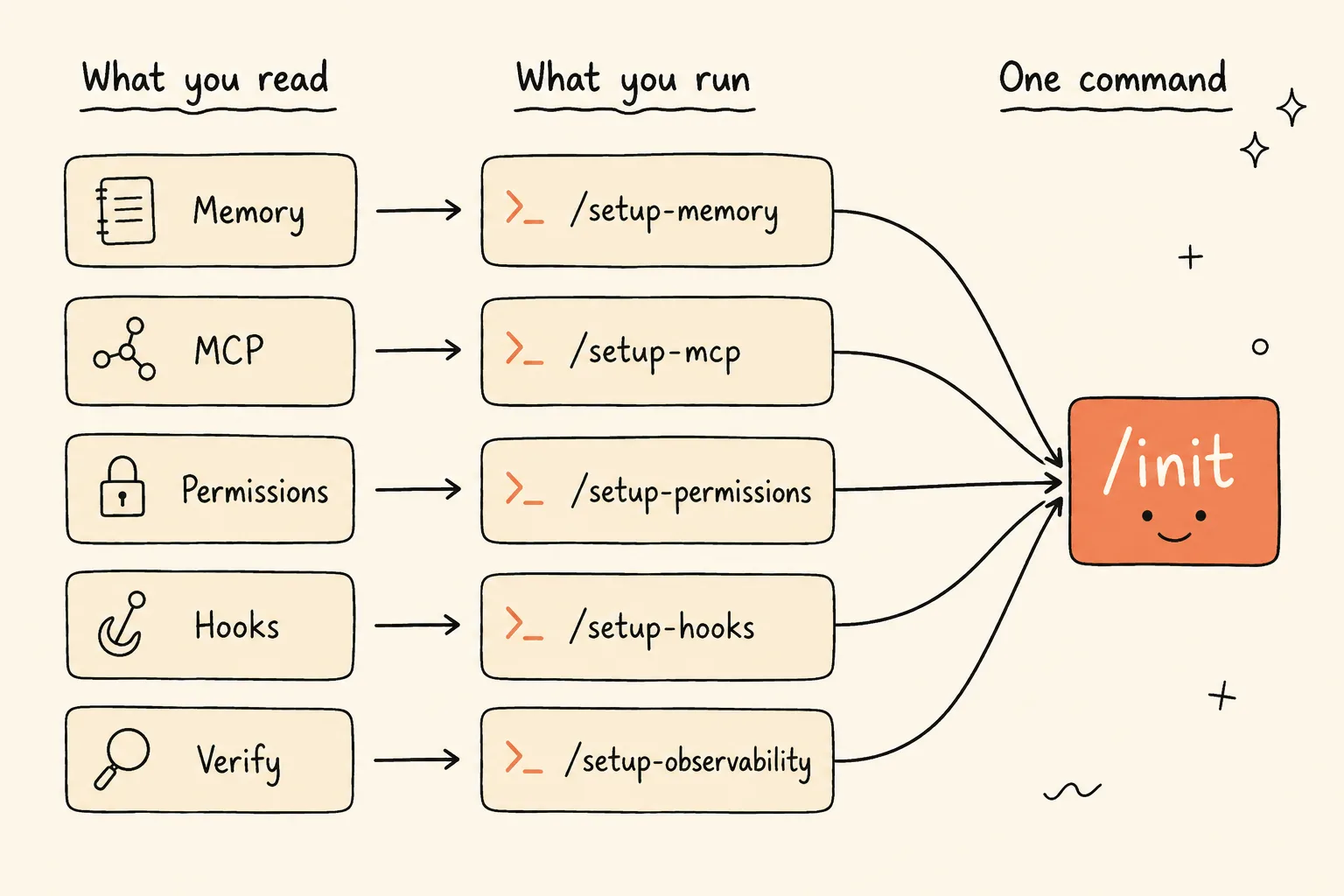
Each post maps to a setup command — and all five roll up into a single /shipwithai-starter:init. Read the layers by hand once; run them by command forever.
The blog still teaches you to do it by hand — and you should read it, because you can’t maintain what you don’t understand. The plugin just means you do it by hand once, to learn it, instead of every Monday, forever.
The two layers we didn’t write about (yet)
Here’s the honest part. The series says five layers. The plugin sets up seven.
That’s not a typo — it’s what dogfooding does to a framework. When you actually rebuild your harness across a dozen real projects, two more things turn out to deserve their own pillar:
- Agents — specialized sub-agents in
.claude/agents/, including adrift-monitorthat runs weekly and tells you when your CLAUDE.md has quietly stopped matching the code. That’s the failure-log pattern, automated: instead of remembering to update your constraints, the harness notices for you. - SSOT — single-source-of-truth docs: an architecture file, Architecture Decision Records, codebase maps. The context that keeps the agent from re-litigating decisions you already made.
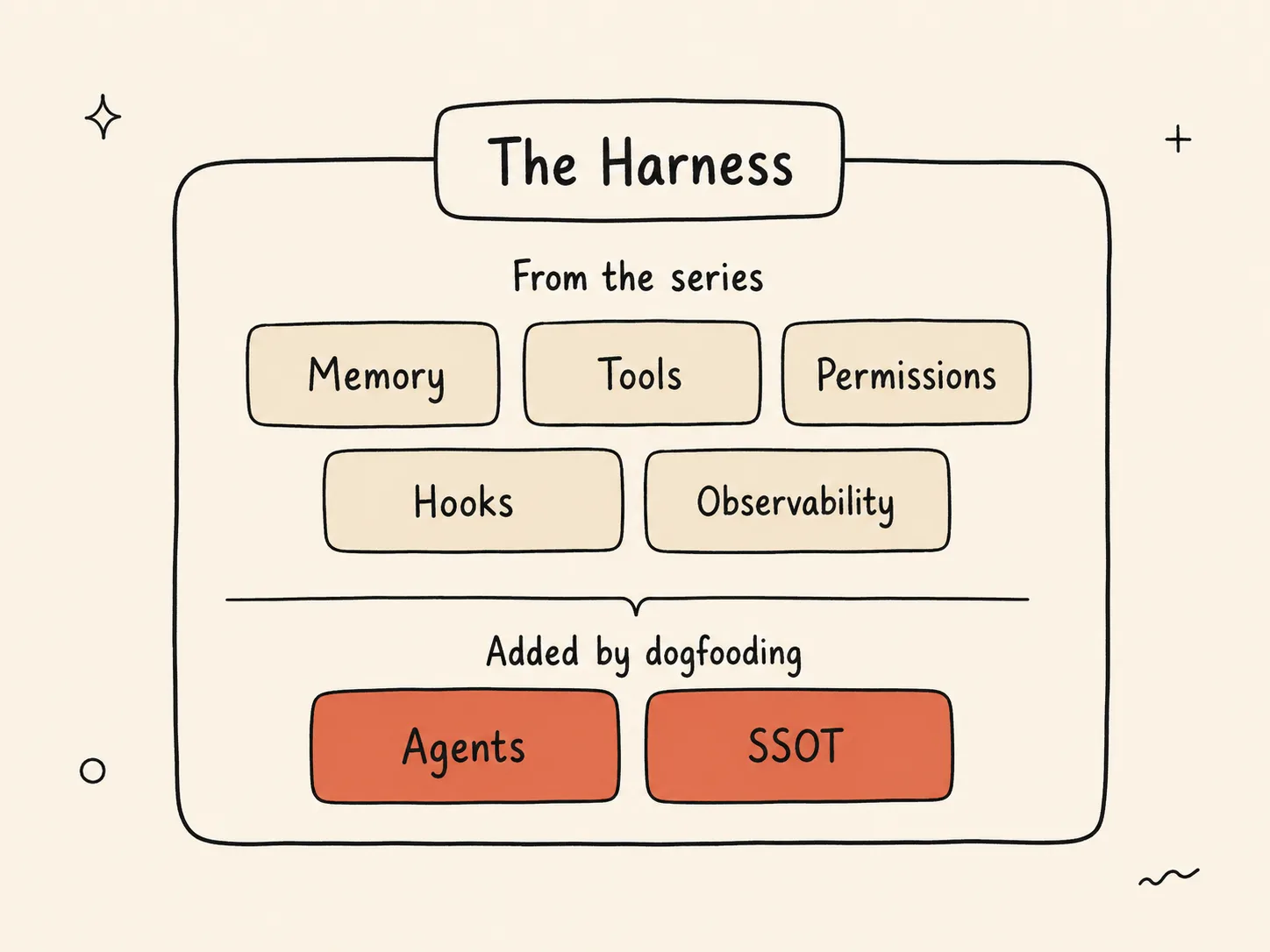
The harness is 7 layers: the 5 the series taught, plus Agents and SSOT — the two that earned their place only after the framework was used on real projects.
We’ll write the deep-dives for both. But we’d rather ship the working tool and tell you the truth — the framework grew because we used it — than pretend the map was perfect before we walked the territory. That’s the whole ethos here: tested in our own repos first, shared second.
Read every line before you run it
The plugin is fully open source: github.com/ShipWithAI/shipwithai-plugins.
We mean fully. The hooks that block destructive commands, the interview logic, the templates it writes into your project, the drift-monitor agent — all of it is in the repo, in plain Markdown and Python you can read in an afternoon. We’d rather you audit the thing that’s about to write to your .claude/ folder than trust us on faith. That’s the only honest way to ship a tool whose entire job is enforcing constraints.
If you’ve read even one post in the series, you already understand everything the plugin does. It isn’t magic. It’s the series, made executable.
Where to start
If you’re new here, read the 5-layer post first — understand the layers, then automate them. If you’ve already got a CLAUDE.md and you’re tired of re-typing it, skip straight to the repo.
Either way, the test is the same one I failed that Monday: open a new repo six months from now. If you catch yourself copying your harness out of an old project by hand, the tooling lost. If the harness is already there because one command and one commit put it there — that’s harness engineering finally engineering itself.
We wrote eight posts about the discipline. This is the ninth, and it’s the one where we stopped practicing it by hand.
Your move: Clone the repo, run
/shipwithai-starter:initon a real project, commit the result, and have a teammate pull it. The first time someone else’s harness shows up identical to yours with zero setup, you’ll feel the difference the whole series was pointing at.
shipwithai-starter is built and maintained by the ShipWithAI team. We use it on our own repos before we recommend it on yours.


